
HOW TO INSTALL POWER STROKE FUEL TEMP SOTF SWITCH

Tools You’ll Need
-
10mm socket or wrench
-
Trim removal tool or flathead screwdriver
-
Flashlight
-
Zip ties
-
Drill + step bit (only if mounting a new switch hole)
Step-by-Step Installation
1. Disconnect the Batteries
-
Disconnect both negative battery terminals
-
This prevents CELs, shorts, or ECU damage
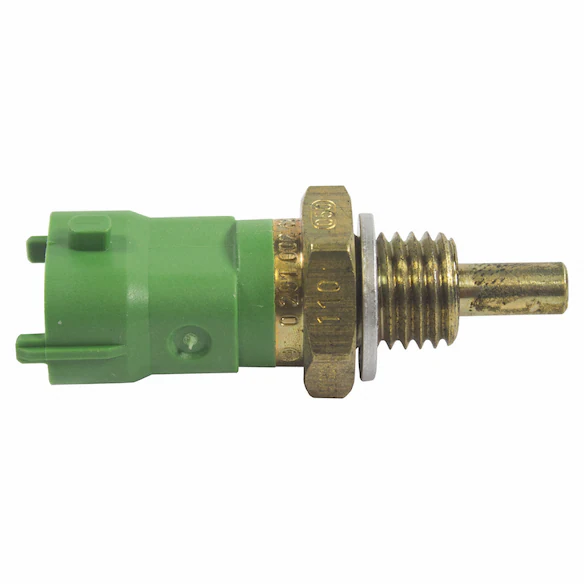
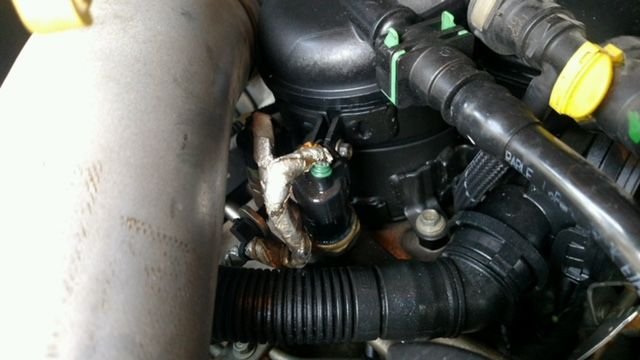
2. Locate the Fuel Temperature Sensor
On most Powerstrokes, the fuel temp sensor is located:
-
On the high-pressure fuel rail
-
Or integrated into the fuel pressure sensor harness
3. Unplug the Factory Fuel Temp Sensor
-
Press the tab and unplug the factory connector
-
Inspect the connector for dirt or damage
4. Install the SOTF Harness (Plug-and-Play)
-
Plug the male end of the SOTF harness into the factory fuel temp sensor
-
Plug the female end into the factory wiring harness
-
Ensure both connectors click and lock

Do not force connectors
If it doesn’t click, it’s not seated correctly
5. Route the Switch Wiring Through the Firewall
-
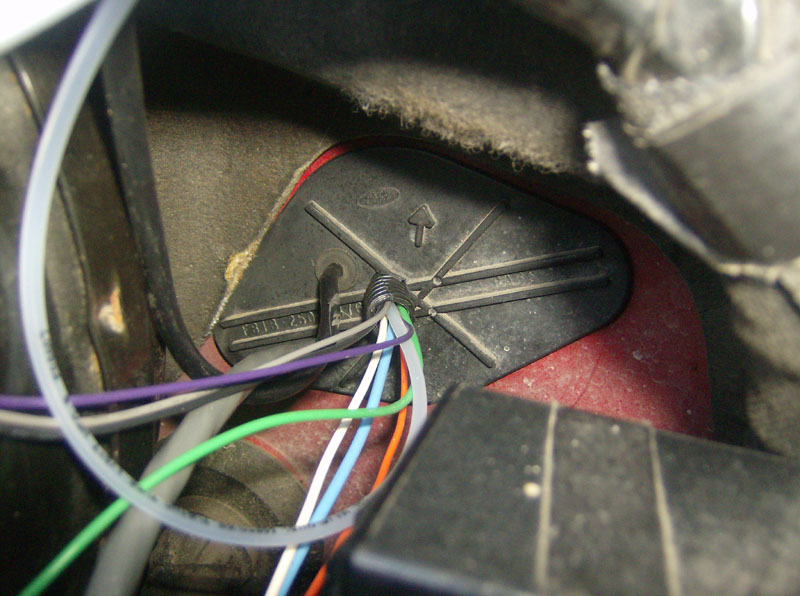
Locate an existing rubber grommet in the firewall
-
Common spot: behind brake booster or steering column
-
-
Carefully pass the switch wiring through
-
Seal grommet if needed

6. Mount the SOTF Switch Inside the Cab
Common mounting locations:
-
Lower dash panel
-
Kick panel
-
Center console
-
Blank switch panel
Options
-
Drill and mount clean
-
Or zip-tie under dash for hidden install
7. Secure and Clean Up Wiring
-
Zip-tie all wiring away from:
-
Exhaust
-
Steering shaft
-
Pedals
-
-
Avoid sharp edges
8. Reconnect Batteries
-
Reconnect both negative terminals
-
Tighten snug (don’t over-torque)
9. Verify Operation
-
Key ON (engine off)
-
Rotate switch and confirm positions change
- LED on back side of switch should be ON and will get dimmer as you rotate switch
Do NOT switch tunes under heavy throttle
Only switch:
-
At idle
-
Or steady cruise (light throttle)
Important Notes (Read This)
-
Fuel Temp SOTF works by altering fuel temp input to command tune changes
-
This does NOT add power by itself
-
You must have compatible tuning loaded
-
Switching too fast or under load can cause limp mode
Quick Troubleshooting
CEL after install
-
Check fuel temp sensor connection
-
Make sure harness is fully seated
Truck won’t start
-
Harness plugged in backwards
-
Sensor connector not clicked in
Switch doesn’t change tunes
-
Tuning not configured for SOTF
-
Switch wiring damaged or pinched